


























If your SVG file is not uploading to Cricut Design Space, it may be due to problems with the content, complexity, or compatibility of the file. Cricut requires clean, vector-based designs that meet certain requirements. Here is a breakdown of possible reasons and tips to fix them: What is an SVG?An SVG (Scalable Vector Graphics) is a digital file format that uses XML to describe two-dimensional graphics.
In this blog post, we explained all the formats that can be used with the Cricut Design Space. So let's dive shortly what is Cricut, Cricut Design Space, and what file formats are supported in Cricut.What is a Cricut?A Cricut is something that will change one's life if he or she is into crafting or any DIY project. It is a cutting machine that can cut materials such as paper, vinyl, fabric, and even wood precisely.
Vectorizing an image is an important skill for designers and crafters. Especially those creating SVG files to use with a cutting machine, like a Cricut or Silhouette. Changing a raster image of pixels into a vector graphic of scalable paths will ensure that your designs are always sharp and clear, no matter the size. If you're just a beginner or a well-seasoned creator, this guide will walk you through it step by step.
Want to know how to convert PNG to SVG in Adobe Illustrator? Let's check this article to get to know.To convert a PNG to SVG in Adobe Illustrator, follow these steps:Step 1: Open Your PNG FileLaunch Adobe Illustrator, then Go to File > Open and select the PNG file you want to convert. The image will appear on your artboard.Step 2: Select the ImageClick on the PNG image to select it. You’ll see a blue bounding box around the image.
In vector graphics, the two most common file formats that designers and crafters use include EPS and SVG. Both work great for any scalable, high-quality image, but they serve a different purpose, given your project. Let's dive deep into their differences and find out what best suits your needs.What is an EPS file?The Encapsulated PostScript, or EPS, is a file format that boasts years of history, mainly within the printing world.
Do you work in graphic design or printing? You've probably come across SVG and EPS files. Both are popular formats for vector images, yet each serves a slightly different purpose. Converting an SVG file to EPS ensures compatibility with professional printers and older software. In this tutorial, you will discover what makes these formats special and how to convert SVG to EPS using different tools step by step.What is an SVG?
Converting an SVG file to AI format is a common task for designers and professionals working with vector graphics. This blog post will guide you through the essentials, explaining the formats and their differences, and answering frequently asked questions about the conversion process.What is an SVG?SVG means Scalable Vector Graphics, and it is a vector image format based on XML.
Converting SVG to DXF is one of the most common tasks a designer, engineer, and crafter deals with when working with vector graphics and CAD software. While SVG is widely used in web design and with cutting machines, a DXF file format is required for CAD applications and CNC machining. Further in this blog post, it will be explained what the SVG and DXF formats are, what their differences are, and how to convert SVG to DXF with ease.What is SVG?
The conversion of SVG files to PDF is one of the most frequent operations that a designer or any other scalable vector graphics expert will normally carry out. Whether sorting your files for print, sharing, or archiving purposes, this tutorial will show you how to do this step by step and cover frequently asked questions.
Conversion of SVG to JPG is one of the most important tasks that almost every graphic designer and web developer faces. Indeed, the SVG format provides the best scalability and sharpness; however, sometimes it is necessary to convert it to JPG with the help of increasing compatibility and ease of dealing with it in certain projects.
In the digital world, images play a crucial role in communication, creativity, and functionality. SVG (Scalable Vector Graphics) and PNG (Portable Network Graphics) are two popular file formats for creating and sharing images. Knowing how to convert SVG to PNG is essential for designers, developers, and anyone who works with digital graphics.
Digital imagery is divided into two main types: raster and vector. Raster images, also called bitmap images, are built from a grid of pixels, each representing a small piece of the whole picture. Common raster file formats include JPEG, PNG, and GIF, which are widely used for photos and detailed graphics.
Converting PNG to EPS is essential for anyone working with scalable vector graphics, especially in the design and print industries. Whether you're using Adobe Illustrator, Photoshop, or Mac's built-in tools, the process ensures your images retain quality and flexibility for resizing. In this guide, we'll break down the steps for each method, making it easy to turn your PNG files into professional-grade EPS formats.What is a PNG?
While creating and dealing with digital graphics, converting a PNG file into vectors is an important step so that scalability can be accomplished with crystal-clear visuals. Learn how to understand the differentiation between raster and vector images, the steps involved in turning PNG into vectors, and why such a transformation is meaningful in professional design work.What is a PNG?
Tired of pixelated images that lose quality when resized?Converting your PNG images to SVG format can revolutionize your design projects. SVGs are vector graphics that scale seamlessly without losing quality, making them perfect for web graphics, logos, and icons. In this guide, we will walk you through the process of converting PNG to SVG, whether you're a seasoned designer or a beginner.What is a PNG?PNG stands for Portable Network Graphic.
Looking to simplify your image files? Converting PNG to JPG is an easy way to save space, improve compatibility, and optimize images for various uses. In this guide, we’ll explain the differences between these formats, when to convert, and how to do it on Windows and Mac.What Is a PNG File?
Here are several methods to convert PNG files to PDF, along with additional resources to help you understand these file types better:Online ConvertersSmallpdf: Drag and drop your PNG image onto their site, adjust page size and orientation, and download the PDF.Adobe Acrobat Online: Upload your PNG and save the converted PDF.CloudConvert: Upload the PNG, adjust image quality, resolution, and file size, then download your PDF.

When creating in Cricut Design Space, it’s super important to have clean and precise designs. Whether you’re uploading images or working with SVG files, smoothing edges makes a big difference in your final product. In this tutorial, you’ll learn how to use the tools and techniques in Cricut Design Space to get rid of jagged lines and have smooth edges. What is Cricut Design Space?
Selling SVG files is a money-making opportunity for designers these days, with the surge in DIY projects and a rise in the popularity of cutting machines like Cricut and Silhouette Cameo. These files are very much in demand for different craft projects, including T-shirt designs, decals, and personalized gifts. Are you ready to turn your designs into profit? Here are some of the best platforms to sell your SVG files, including why PremiumSVG.
Are you looking for an answer on how to separate an SVG file in Cricut? Here you go! In this blog post, we explained everything you need! Read carefully and get the answers. Easy Ways to Separate an SVG File in CricutAt first, separating an SVG file in Cricut Design Space can be a bit tricky, but with a little guidance, it becomes very easy.
Do you wonder if SVGs have transparent backgrounds or not? In this blog post, we explain all the details about transparent background SVG files and answer some questions that may be on your mind. Crafting captivating web graphics is all about control. You want your images to seamlessly integrate with your website’s design, not fight for attention with a glaring white background. This is where the magic of transparent background SVGs comes in.
Absolutely! Cricut Design Space, the software that lets you design and cut projects with your Cricut machine, is completely free to use. Here’s a breakdown: Free to Download and Use: You don’t need to pay anything to download and use Cricut Design Space. It’s available on desktops, laptops, tablets, and even smartphones.

Yes, you can! Applying heat transfer vinyl (HTV) on plastic opens up a whole new world of possibilities for your creative projects. While it does require some special considerations, with the right techniques and materials, you can get great results. You can heat transfer vinyl onto a lot of surfaces, not just fabric, by adjusting your methods for each material.
A PSD is a short form of a Photoshop Document. The file is the default file format used by Adobe Photoshop. A PSD file is characterized by its .PSD file extension. It stands out as a robust file format for image editing and graphic design thanks to its ability to retain image data, including multiple layers, adjustment layers, and other Photoshop-specific elements.
Ever found the perfect image online and wanted to turn it into a stunning Cricut creation? While SVG files are the go-to format for Cricut Design Space, converting images into a cut file ensures compatibility for cutting materials like vinyl or paper. Let’s explore the ins and outs of using PNG files with your Cricut machine.
AI files, short for Adobe Illustrator Artwork files, are the native file format used by Adobe Illustrator, a powerful vector graphics editor. These files are renowned for their scalability and versatility in creating detailed and professional designs. In this article, we’ll explore what AI files are, why they are widely used, and essential tips on how to effectively open, edit, and work with them.
If you are looking for a color mode for printing, here we explained all the things about the RGB and CMYK color modes, so you can decide what color mode to choose for your needs CMYK mode or RGB mode. What is the difference between RGB vs CMYK?In graphic design, understanding color spaces is crucial. The RGB color space is ideal for digital work, representing colors using red, green, and blue light to achieve various color combinations.
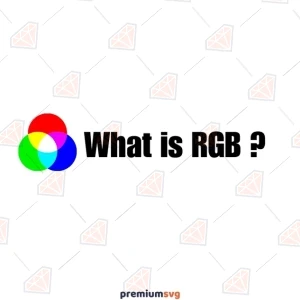
RGB stands for Red, Green, and Blue. It is a color model used in digital displays like monitors, TVs, and cameras. This model combines red, green, and blue light in various intensities to produce a wide range of colors through additive mixing, allowing for the creation of 16.7 million possible colors using different RGB combinations. RGB is ideal for digital screens because it directly corresponds to how electronic devices emit light.
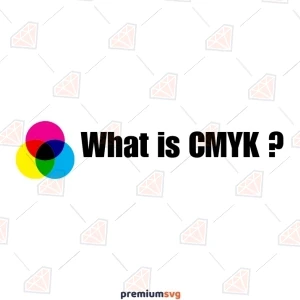
CMYK stands for Cyan, Magenta, Yellow, and Key (Black). It’s the color model used in printing, unlike RGB for screens. The CMYK color model works by starting with white paper and subtracting colors. CMY inks mix to create most colors we see, but their blend isn’t perfect for a true black. That’s why “Key” (black ink) is added for darker shades and crisp text.
As a designer or someone commissioning a design, understanding the distinction between RGB vs CMYK color modes is crucial for planning and optimizing each stage of your project. This goes beyond merely knowing that these acronyms represent colors; it involves understanding which color mode is best suited for your specific needs. Depending on how and where your final design will be displayed, one color space may be more appropriate than the other.
There are two sorts of picture files that you can work with when working digitally: raster files and vector files. It is possible to store both image kinds with several file extensions. It's critical to know which picture format to use and which file extension is appropriate in what circumstances. Images created by mathematical formulas that define points on a grid are called vector files.
In graphic design and digital art, file formats are key. They affect the quality and versatility of the final product. One such file format that has stood the test of time is the EPS file. But what exactly is an EPS file, and why is it so crucial for graphic designers and other professionals? Let's delve into the world of EPS files to understand their significance and how they can be effectively used. What is an EPS File?