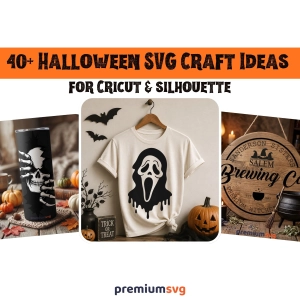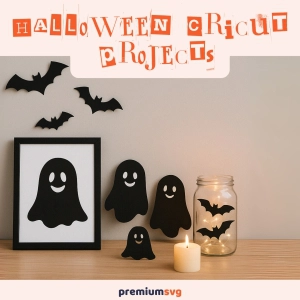
Looking for Halloween ideas for craft projects with your Cricut? Here you go! In this blog post, we covered perfect Halloween craft ideas for you. Are you ready? Let's start! Why Halloween Cricut Projects Are a MustEvery Halloween season, crafters look for fresh ideas to make their d©cor and costumes stand out. The challenge is finding unique, affordable, and easy-to-make projects that feel personal.
Ready to infuse your crafts with the vibrant energy of tropical vibes? Tropical-inspired designs are the perfect way to bring a little sunshine and paradise into your creative DIY space. Whether it’s a cheerful pineapple, a graceful flamingo, or swaying palm trees, these Tropical SVG designs instantly add a splash of paradise to any project.
Are you interested in SVG designs? Do you have a question about free svg or premium svg? Here you go, this is the blog post you need to look at! In the world of digital crafting, graphic design, and web development, one file format stands out for its versatility and scalability. It is an SVG, or Scalable Vector Graphics.
SVG files are essential tools for designers. Whether you’re building a responsive website, designing for Cricut or Silhouette, or creating animations, SVG files offer clarity, flexibility, and scalability. Here’s the thing: not all SVGs are born lightweight. Depending on how they’re created or exported, some SVG files carry extra baggage metadata, redundant code, or overly complex paths, which cause bloat in the file size.
In this blog post, we will be covering how to decrease the size of SVG files. In the world of web and graphic design, SVGs (Scalable Vector Graphics) are important file formats for many users. Whether you're building crisp, responsive websites or crafting detailed designs for digital products, SVG files offer the flexibility, clarity, and performance of modern projects. But like any tool, SVGs come with their quirks, and file size is one of them.
Are you ready to celebrate Independence Day in style? Whether you're heading to a picnic, a fireworks show, or a family gathering, custom 4th of July shirts are a fun way to get into the patriotic spirit. SVG designs make it easier than ever to create customized shirts using Cricut machines, and the possibilities are endless. Here, we’ve gathered seven must-try SVG designs that work beautifully for any 4th of July celebration.
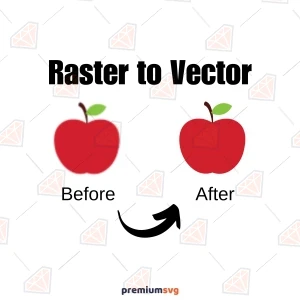
Need to scale your image without losing quality? Let's learn how to convert raster to vector with a step-by-step guide. We’ll cover the tools, techniques, and tips for a smooth conversion. Key PointsRaster images use pixels and lose quality when scaled; vector images are mathematically defined and can be resized infinitely without quality loss.
Making custom Cricut designs opens up a world of possibilities for DIYers, small business owners, Cricut users, and hobbyists. Whether you’re making t-shirts, vinyl decals, paper projects, or personalized gifts, mastering Cricut Design Space is key. Understanding SVG files, design elements, and cutting techniques means smooth and precise results.
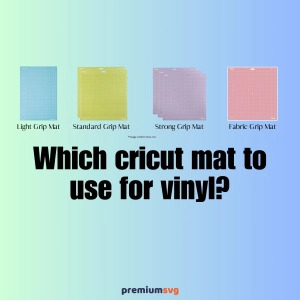
In this post, we will go over which cricut mat to use for vinyl. We went over everything about the cricut machine mat. When it comes to crafting with vinyl, using the right Cricut mat is key to clean cuts and a smooth experience. Whether you’re making custom decals, personalized gifts, or unique home decor, using the right mat will keep your vinyl in place, reduce mistakes, and give you professional results.
Are you looking for a wide explanation of DXF to SVG? Here you go! In this post we will go through how to convert DXF to SVG files with the best exercises. What are SVG Files?SVG (Scalable Vector Graphics) files are digital graphics based on XML code. It is used to create high quality, scalable images. Unlike raster images (JPEG, PNG) SVGs are resolution-independent, meaning they don’t lose quality when resized.
Are you searching for a silhouette studio or silhouette cameo svg files? You are at the exact address to find SVG & DXf cut files for your cutting machine design space! So let me explain what you can find at premiumsvg.com and which design software you can use! So first, let’s learn what is silhouette cameo? What is Silhouette Cameo?The Silhouette Cameo is an electronic cutting machine used for crafting and design projects.
Ready to try out some new Cricut t-shirt ideas? You’re in the right place. This post has tons of creative, trendy designs to inspire your next t-shirt project. From seasonal themes to pop culture and personalized gifts, we’ve got ideas to make your shirts one-of-a-kind. Making shirts never been such a easy, so let's take a look at!
Need SVG freebies for Cricut or Silhouette? This post shows you where to find free SVGs and how to download and use them for your crafting projects. They come in PNG, JPG, and DXF too. Quick FactsFree SVGs are endless for beginners and pros alike, and save you money on projects. Most free SVGs are compatible with popular cutting machines, so you get high quality results for all projects.
A Cricut machine offers a versatile platform for generating income through the creation and sale of customized products, including apparel, home d©cor, accessories, and digital design assets. Entrepreneurs can capitalize on its precision and flexibility to craft high-demand, personalized items for various markets.
Converting EPS to SVG is a must for conversion processes for scalability, compatibility, and flexibility for digital design and crafting. The quick accessibility of converted files gives benefits like faster downloads and a better user experience. While EPS files are good for professional printing and high-quality graphics, they are also a common format in professional graphic workflows due to their widespread compatibility and popularity.
Cut files can be divided into two types: single-layer and multi-layer. Single-layer cut files consist of a single design element that is cut all at once, while multi-layer cut files include multiple separate elements that can be layered on top of each other. The choice between these types depends on the design's complexity and the number of distinct cutting levels required.
We will cover in this post why you should buy SVG files from the premiumsvg. 1. Discover High-Quality SVG Files for Cricut and SilhouetteFinding the right SVG files for Cricut and Silhouette cutting machines can transform your crafting experience. High-quality designs ensure smooth cutting and flawless results on vinyl, paper, and fabric.

Cutting machines have become quite indispensable to hobbyists, crafters, and small business owners over the past couple of years. With their upfront costs and associated continuous expenses, one might ask whether these cutting machines are truly worth the investment. In this cost analysis, we will take a look at the expenses, potential savings, and benefits in the long run so that you can decide whether a cutting machine is right for you.
Cutting machines like Cricut, Silhouette, and Brother ScanNCut have revolutionized the world of DIY crafting and small businesses. However, even the best machines can encounter problems. Knowing how to troubleshoot common issues can save you time, materials, and frustration. In this guide, we’ll address frequent problems and provide practical solutions. 1.
This post will guide you through essential maintenance tips to keep your cutting machine running smoothly, whether you're using a Cricut, Silhouette, laser cutter, CNC router, or any other type. Time to get informed! A well-maintained cutting machine is crucial for achieving clean, precise cuts and ensuring the longevity of your equipment.
Having a cutting machine is very exciting, but sometimes it feels overwhelming. There are so many options for projects, and so many tools, too, that knowing where to get started seems to be half the battle. Be it a Cricut, Silhouette, Brother ScanNCut, or any other cutter, the beginner-friendly projects will perfectly fit in place to help build confidence and learn the basics.
There's more to using a cutting machine than just having the right tools. File format knowledge stands shoulder to shoulder with tool knowledge. Understanding the different file types and when to use each will make any crafting project easier and more successful. In this guide, we're going over the most common file formats that go along with cutting machines: SVG, DXF, PNG, and JPG—all their strengths, limitations, and best uses.
Choosing the right cutting machine software feels a bit like picking the perfect crafting buddy. Each one comes with its own set of strengths, quirks, and personality traits. Whether you're crafting personalized gifts, designing intricate vinyl decals, or dreaming up stunning paper art, the software you choose can make or break your creative flow.
A cutting machine is a fantastic tool, but without the right accessories, it’s like having a car without fuel—it just won’t perform at its best. Whether you’re crafting custom t-shirts, designing intricate paper art, or personalizing gifts, the right tools can make all the difference. In this guide, we’ll walk you through the must-have tools and accessories that will level up your crafting game. What is a cutting machine?
It is like trying to find the needle in the haystack-just about everything else seems to be a cutting machine. There are so many options that one can easily get overwhelmed. Be it a hobby, the start of a small business, or just the pleasure of making gifts with a personal touch, the right machine will definitely make all the difference. Let's break it down step by step and help you find the best fit for your needs. What is a cutting machine?
With cutters, it's all about the right material. Be it custom t-shirts, intricate paper designs, or personalized home decor, each material brings its flair to the crafting table. In this guide, we'll explore some of the most popular materials you can use with your cutting machine, along with handy tips to help you get the best results every time. What is a cutting machine?
Cutting machines have made crafting more exciting than ever. These powerful machines have made creation easier and have taken creation to a whole new level, allowing us even to make those designs that were earlier considered impossible to make. But with so many brands on the market, choosing the right one can feel overwhelming.
Cutting machines have totally flipped the game for crafters. It has brought in minute details with minimum effort, making it real. Have you ever wondered, though, how these machines do their magic? Be it a manual or digital cutter, the explanation will be able to assist in maximizing your crafting session. In this post, we will break down the steps involved, simplify the tech talk, and share some handy tips that will help create confidence.
Cutting machines have become must-have tools for crafters, hobbyists, and small business owners. With so many options on the market, it can feel overwhelming to choose the right one. Should you go for a manual machine or invest in a digital one? In this guide, we’ll break down the key differences, highlight their strengths, and help you figure out which fits your crafting style best. What is a Manual Cutting Machine?
Cutting machines have completely transformed the world of DIY crafts and professional design, making it easier than ever to bring creative ideas to life. Whether you’re personalizing T-shirts, crafting intricate paper decorations, or designing unique vinyl decals, these machines offer precision, speed, and endless creative freedom. But what exactly is a cutting machine, and how can it elevate your crafting game?
Silhouette machines are those types of electronic cutting tools intended for crafters, hobbyists, and even small business owners, somewhat like a printer, which connects with your computer to cut any intricate design in vinyl, paper, fabric, and cardstock with specialized software. The more in-demand Silhouette models are the Cameo and the Silhouette Portrait; both come out with great precision and user-friendly features.
If your SVG file is not uploading to Cricut Design Space, it may be due to problems with the content, complexity, or compatibility of the file. Cricut requires clean, vector-based designs that meet certain requirements. Here is a breakdown of possible reasons and tips to fix them: What is an SVG?An SVG (Scalable Vector Graphics) is a digital file format that uses XML to describe two-dimensional graphics.