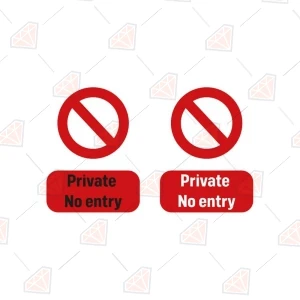
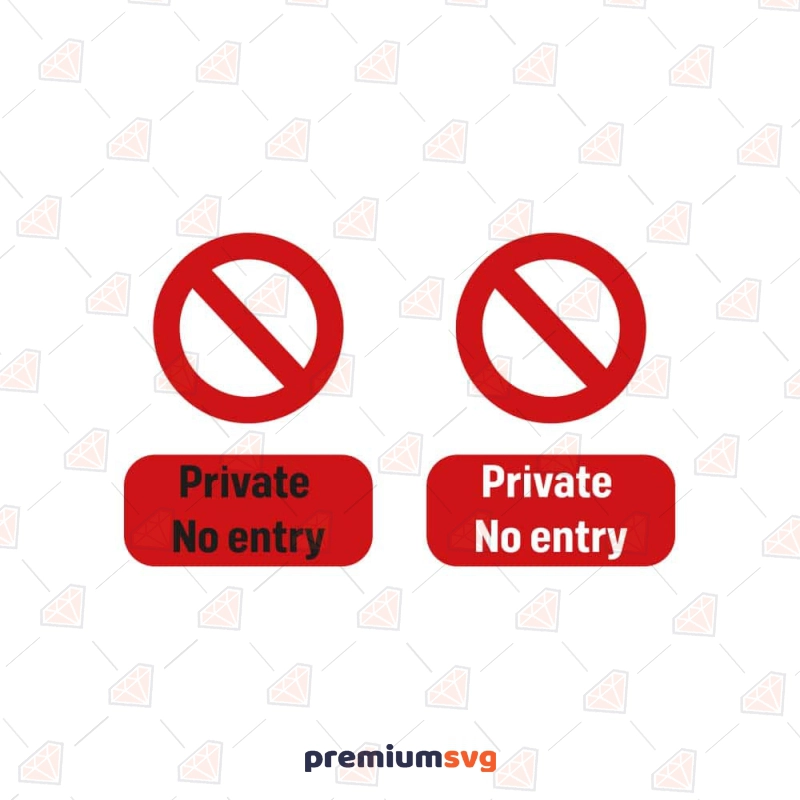
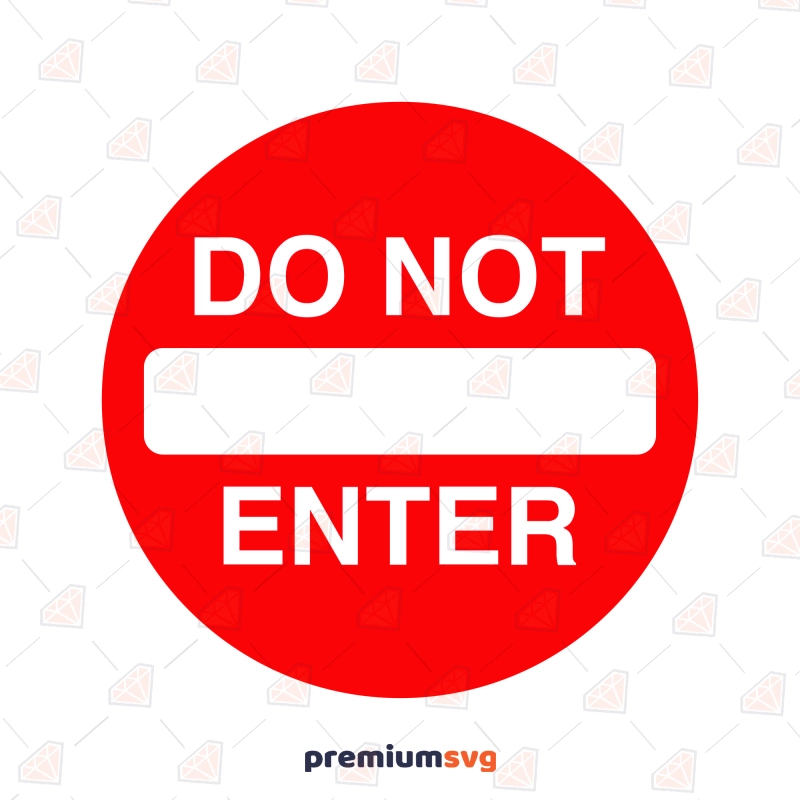
The Do Not Enter SVG is a clear warning sign cut file for creating privacy or restricted access signage. It includes SVG, PNG, JPG, DXF, AI, and EPS formats, all tested in Cricut Design Space and Silhouette Studio. Use it for shirts, tumblers, mugs, or signs. This purchase is for personal use, with Commercial and Extended Commercial licenses available separately. Delivery is an instant ZIP download after checkout.
What's included in this download?
You receive one Do Not Enter SVG design in the following formats: SVG, PNG, JPG, DXF, AI, EPS — organized in one ZIP folder.
Which machines and software does it work with?
The file works with every cutting machine and design program that reads SVG, DXF or PNG. This includes Cricut Maker, Cricut Explore, and Cricut Joy via Cricut Design Space. For Silhouette users, it works with Silhouette Cameo and Portrait (using DXF in the free Silhouette Studio software, or SVG with Designer Edition+). It is also compatible with Brother ScanNCut, Glowforge, and other laser cutters using SVG or EPS. For editing, you can use Inkscape (free), Adobe Illustrator, Affinity Designer, or Canva Pro. The included 300 DPI PNG also works in sublimation software without conversion.
What can you make with this design?
You can make various privacy and warning-themed projects with this design. Create HTV shirts for those who value their personal space, or adhesive-vinyl decals for doors, lockers, or windows. Design sublimation mugs for a humorous gift, or engrave wood signs for a clear boundary statement on a bedroom door, man cave, or workshop. It's also suitable for printable stickers and for print-on-demand listings (with the appropriate license). As a true vector file, it scales from a small sticker to a large garage door decal without any loss of quality.
How are the files delivered?
Your files are delivered as an instant download immediately after checkout. A download link appears on your order confirmation page and within your PremiumSVG account. A link is also sent to your email address. All files are organized into a single ZIP folder. On desktop, right-click and choose Extract All (Windows) or double-click (Mac) to unzip. On iPad, tap the ZIP in the Files app to unzip, then upload the SVG to Design Space or Studio.
What does the license allow?
Every purchase includes a Personal Use license by default. With this, you may cut, print, and gift items for yourself, your family, or friends, but you may not sell these finished products. To sell finished products, a separate license is required. The Commercial License lets you sell up to 500 finished physical products, such as shirts, mugs, signs, or decals, made with this design, including on marketplaces like Etsy and at craft fairs. The Extended Commercial License covers broader use, including print-on-demand (POD). Under any tier, you may not resell, share, or redistribute the digital files themselves, whether in their original or modified form. For print-on-demand use, the design must be flattened into the final product image.
FAQ
Is the text in the "Do Not Enter" design editable or layered for different colors?
The "Do Not Enter" design is typically provided as a single, ready-to-cut layer or grouped for easy manipulation, meaning the text is part of the overall graphic and not individually editable text. You can still cut it in a single color of vinyl or paper, or ungroup in your software to change colors of separate elements if applicable.
Can I use this "Do Not Enter" design for a door sign or a restricted area warning?
Yes, this "Do Not Enter" SVG is specifically designed for creating clear and effective door signs or restricted area warnings. It is ideal for labeling a private room, a workshop, a kids' room, or any space where you want to indicate limited access.
Does this "Do Not Enter" SVG work well for a single-color vinyl decal?
Yes, the "Do Not Enter" design is optimized for simple, single-color vinyl cutting. Its clean lines and bold text make it straightforward to cut and weed, resulting in a crisp decal for various surfaces.
Can I get a refund on a digital file?
All sales of digital files are final. If a file is found to be damaged or corrupted, it will be replaced or refunded within 30 days of purchase.
Can I use this design for print-on-demand?
Yes, you can use this design for print-on-demand services, but an Extended Commercial License is required. Please upload the flattened PNG file to your POD platform, never the raw SVG file.The It Was Better In The 90's SVG is a nostalgic retro cut file for crafters, delivered instantly in SVG, PNG, JPG, DXF, AI, and EPS formats. It is tested for use in Cricut Design Space and Silhouette Studio, ideal for creating custom shirts, tumblers, mugs, and signs. This purchase includes a Personal Use license, with Commercial and Extended Commercial licenses available separately. Your files are delivered as an instant ZIP download after checkout.
What's included in this download?
You receive one It Was Better In The 90's design in the following formats: 2 SVG, 2 PNG, 2 JPG, 2 DXF, 2 AI, 2 EPS — organized in one ZIP folder.
Which machines and software does it work with?
The file works with every cutting machine and design program that reads SVG, DXF, or PNG. It has been tested with Cricut Maker, Cricut Explore, and Cricut Joy via Design Space, and with Silhouette Cameo and Silhouette Portrait (DXF in free Silhouette Studio, SVG in Designer Edition or higher). Brother ScanNCut machines are also compatible. For laser cutters like Glowforge, the SVG and EPS files are suitable. For editing, the files open in Inkscape (free), Adobe Illustrator, Affinity Designer, and Canva Pro. The 300 DPI PNG is also ready for use in sublimation software without conversion.
What can you make with this design?
This design is ideal for creating nostalgic apparel and accessories that celebrate the 1990s. Use it for HTV shirts, hoodies, and jackets to wear to retro parties or as everyday casual wear. Craft adhesive-vinyl decals for car windows, laptops, or water bottles. The design can be sublimated onto mugs, tumblers, or tote bags, making great gifts for friends who grew up in the 90s. It also works well for engraved wood signs, printable stickers, and as a component for print-on-demand listings. As a true vector, the design scales from small labels to large posters without any loss of quality.
How are the files delivered?
Your files are delivered as an instant download immediately after checkout. A download link appears on your order confirmation page and is accessible in your PremiumSVG account. You will also receive an email with the download link. All files are organized into a single ZIP folder. On desktop, right-click the folder and choose Extract All (Windows) or double-click it (Mac). On iPad, tap the ZIP in the Files app to unzip, then upload the SVG to Design Space or Studio.
What does the license allow?
Every purchase of this design includes a Personal Use license by default. This allows you to cut, print, and gift items for yourself, your family, or friends, but you may not sell these finished products. To sell items made with this design, a separate license is required. The Commercial License permits you to sell up to 500 finished physical products, such as shirts, mugs, signs, or decals, that incorporate this design. This includes sales on marketplaces like Etsy and at craft fairs. For broader applications, including print-on-demand (POD) services, the Extended Commercial License is necessary.
Under any license tier, you are strictly prohibited from reselling, sharing, or redistributing the digital files themselves, whether in their original or modified form. For print-on-demand use, the design must be flattened into the final product image before uploading to any POD platform.
FAQ
Is the "It Was Better In The 90's" text one solid piece for cutting?
Yes, the phrase "It Was Better In The 90's" is grouped for easy single-color vinyl cuts. In most design software, you can ungroup the elements to customize colors or placement if desired.
Can I use this design for a themed 90s birthday party?
Absolutely. This design is perfect for creating decorations, party favors, t-shirts, or even custom invitations for a 90s-themed birthday celebration or reunion. It adds a nostalgic touch to any related event.
Does this design work well for a single-color vinyl project?
Yes, the design is optimized for clean cuts, making it an excellent choice for single-color heat transfer vinyl on apparel or adhesive vinyl for car decals. It simplifies the cutting and weeding process.
Can I get a refund on a digital file?
All sales of digital files are final. However, if you encounter a damaged or corrupted file, it will be replaced or refunded within 30 days of your purchase.
Can I use this design for print-on-demand?
Yes, you can use this design for print-on-demand services, but an Extended Commercial License is required. Always upload the flattened PNG to your POD platform, never the raw SVG file.Flamingo SVG Cut Files
Discover premium Flamingo SVG cut files designed for tropical and summer-inspired craft projects. These high-quality Flamingo SVG designs include flamingo silhouettes, cute cartoon flamingos, beach-themed compositions, monogram frames, and detailed illustrations, all designed for precise, smooth cutting.
Each Flamingo SVG file is fully compatible with SVG, PNG, JPG, EPS, and DXF formats, making them easy to use across Cricut, Silhouette, and other cutting machine workflows. Whether you're creating custom t-shirts, mugs, tumblers, or personalized craft products, these designs are optimized for clean output and professional-quality results.
All Flamingo SVG downloads include flexible personal and commercial licensing, along with instant access for immediate use. This makes them ideal for crafters, designers, and small businesses looking to create and sell unique handmade products with confidence.
Shop Flamingo Designs for Summer & Beyond
Shop flamingo SVGs for any project — pink tropical silhouettes for summer apparel, monogram layouts for personalized gifts, layered multicolor designs for HTV, and minimalist outlines for clean cuts. They're perfect for beach mugs, baby onesies, scrapbooks, tropical party invitations, and summer decor. For more designs, explore the Bird SVG and Penguin SVG categories, or browse the wider Animal SVG hub .
What Can You Make with Flamingo SVG Files?
These designs work for nearly any craft. Press heat transfer vinyl (HTV) onto pink-themed t-shirts and summer apparel, apply adhesive vinyl to beach mugs, tumblers, decals, and keychains, or print transparent PNGs for sublimation, scrapbooking, and tropical invitations. Crafters reach for flamingo designs to make summer wall art, nursery prints, and party decorations — a favorite for hobby makers and print-on-demand sellers chasing the warm-weather season and year-round.
File Formats & Machine Compatibility
Every Flamingo SVG file is optimized for clean cutting, easy layering, and accurate resizing as a true vector file, so it scales to any size without losing sharpness. The cut files upload directly into Cricut Design Space, Silhouette Cameo, Brother ScanNCut, and Glowforge laser cutters, while the high-resolution transparent PNG handles sublimation and Print Then Cut projects. Each design arrives in a single ZIP via Google Drive, with formats including SVG, PNG, JPG, EPS, DXF, AI, and PDF (exact formats may vary by design).

 Illustrations
 Awareness SVG
 Backgrounds & Patterns SVG
 Education SVG
 Flag SVG
 Teacher SVG
 Free SVG
 4th Of July SVG
 Christian SVG
 St Patrick's Day SVG
 Occasion SVG
 New Year SVG
 Sport SVG
 Mother's Day SVG
 Halloween SVG
 SVG Bundles
 Dog SVG
 Bear SVG
 Father's Day SVG
 Holidays & Celebrations SVG
 Horse SVG
 Cancer Day SVG
 Music SVG
 Sloth SVG
 Easter Day SVG
 Animal SVG
 Cat SVG
 Moose SVG
 Cow SVG
 Flamingo SVG
 Sunflower SVG
 Butterfly SVG
 Penguin SVG
 Shark SVG
 Bird SVG
 Camping SVG
 Dinosaur SVG
 Bee SVG
 Snowflake SVG
 Christmas SVG
 Pumpkin SVG
 Chicken SVG
 Flowers SVG
 Coffee & Tea SVG
 Heart SVG

 2044 people took advantage of this discount